Archive an account
An account you no longer need to see — a one-off debt you’ve settled, an old bank account you closed — doesn’t have to sit in your lists forever. Archiving hides it everywhere it normally shows up, but keeps every transaction it ever had.
Archive an account
Section titled “Archive an account”Open the account you want to hide.

- Tap its name to open it, then tap the settings icon to reach Edit account.
- Scroll to Manage account and tap Close account.
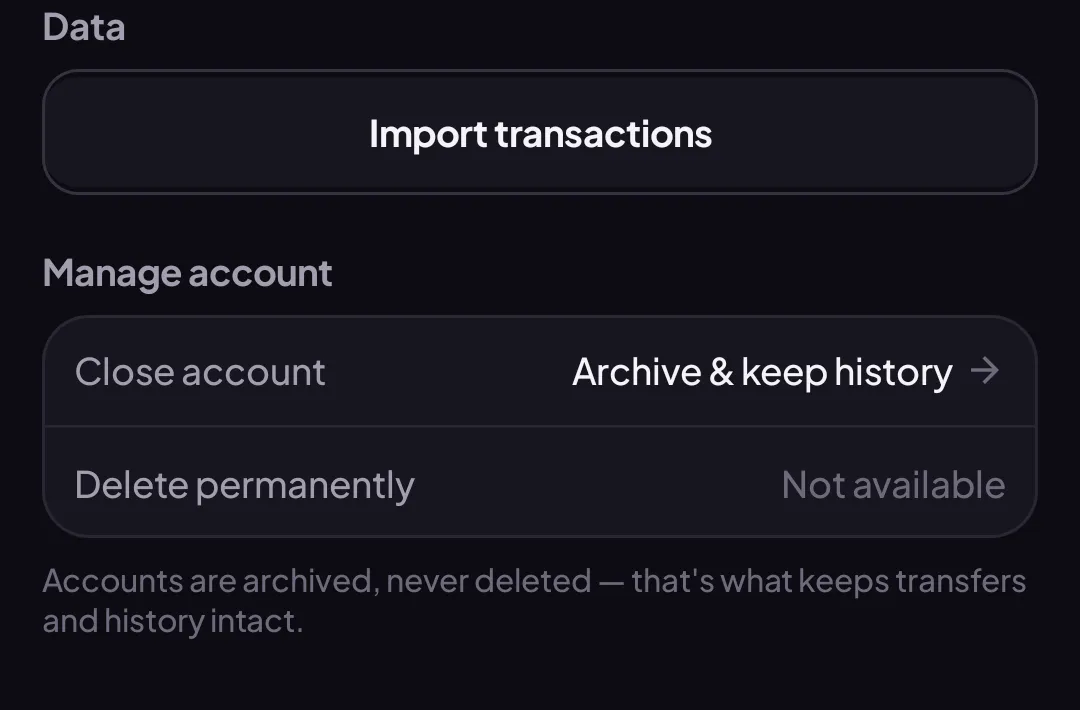
- Confirm by tapping Archive.
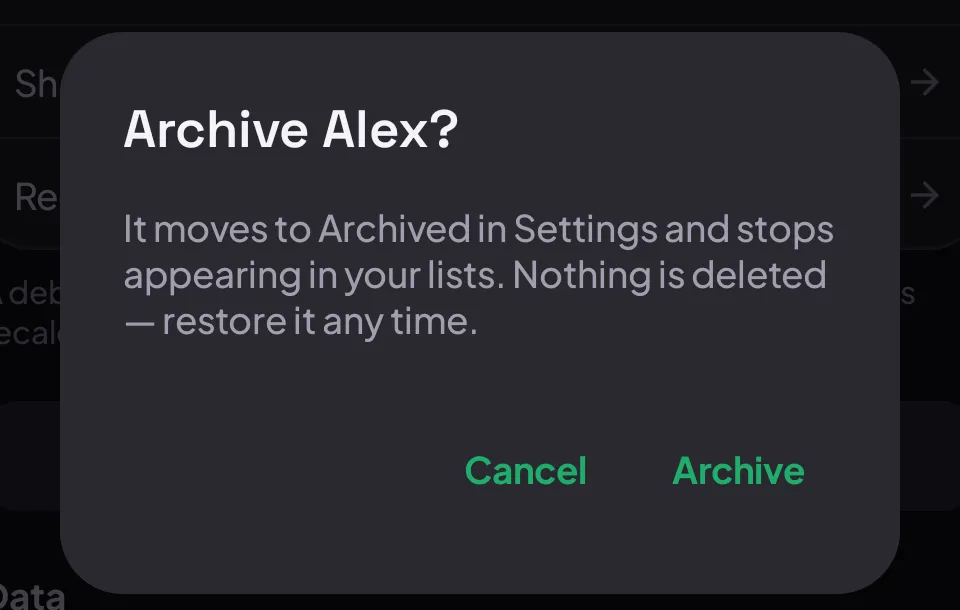
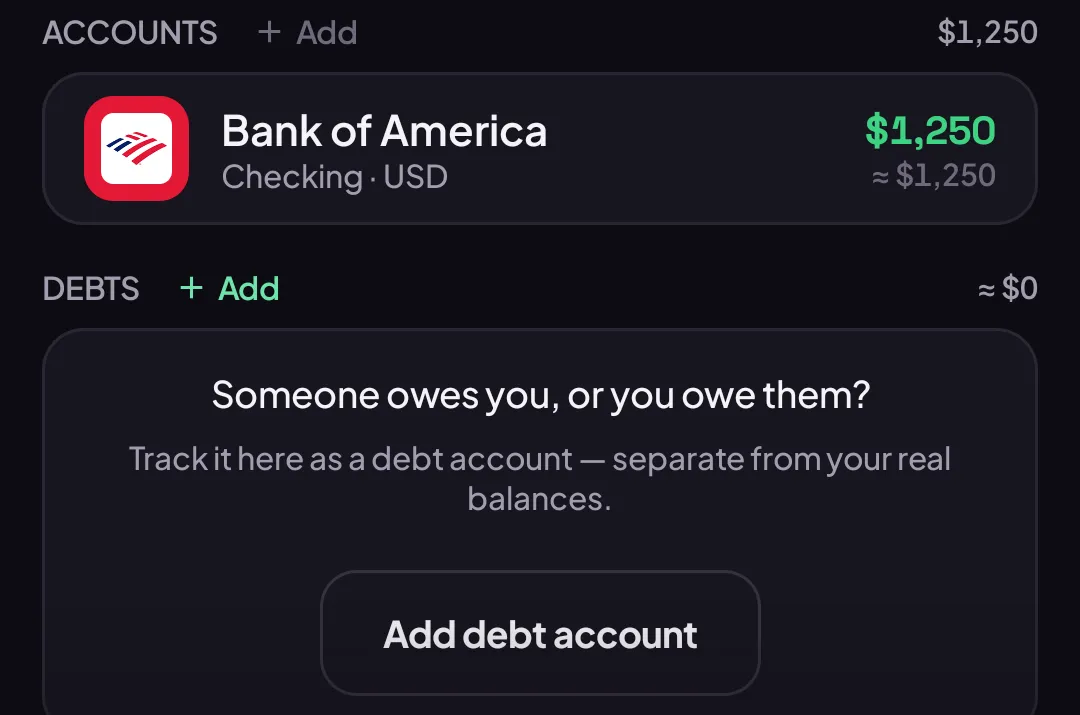
The account disappears from Budget right away — no waiting, and it works offline too.
What archiving actually does
Section titled “What archiving actually does”The account moves to an Archived state: an Archived badge appears on it, its Currency, Direction, Share, and Reconcile rows all lock, and it stops appearing in Budget, Home, and account pickers.

Nothing about its history changes. Every transaction it ever had is still there — archiving only changes whether the account shows up in your everyday lists.
Bring it back
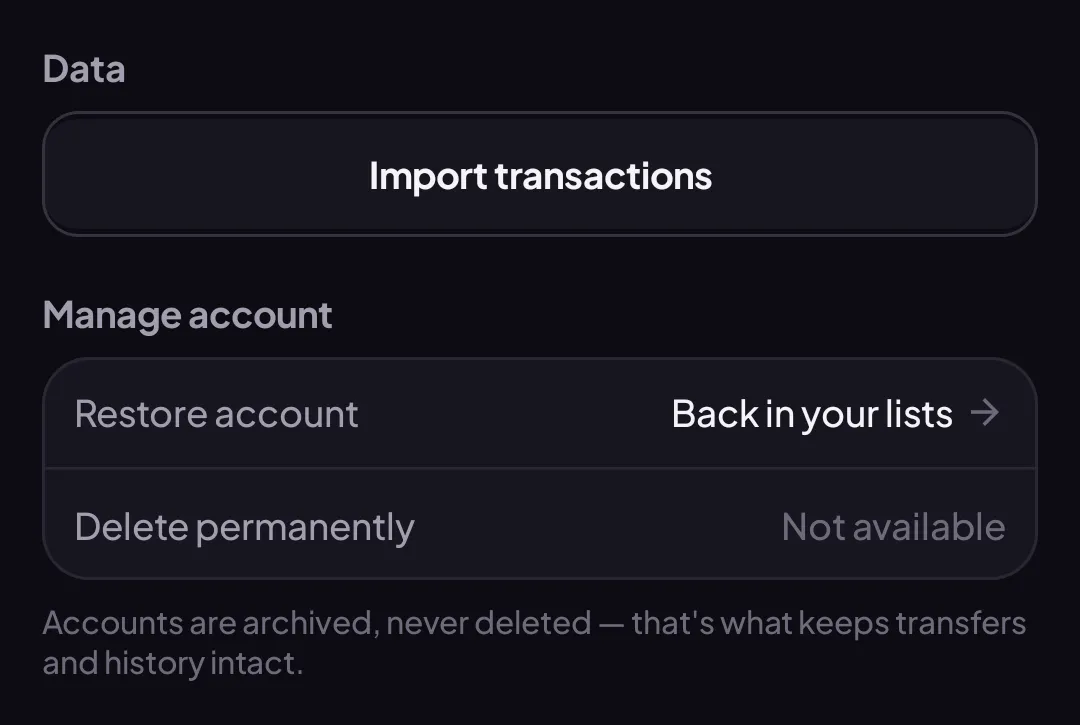
Section titled “Bring it back”Archived accounts live in Settings → Archived accounts, muted but tappable.

Tap it, then tap Restore account — no confirmation needed, it’s back in your lists immediately.
Why not delete?
Section titled “Why not delete?”Accounts can be linked to each other — a transfer moves money from one account to another. Deleting an account outright could quietly break the other side of a transfer sitting in a completely different account. Archiving avoids that risk entirely: nothing about your other accounts’ history can ever be affected by it.
Good to know
Section titled “Good to know”- Archiving is instant and offline — it doesn’t wait for a network connection.
- Restoring never asks you to confirm. Archiving does, once, because it changes what you see; undoing it is free.
- A debt account (see Track a debt) archives and restores exactly the same way as a bank, cash, or card account.